© 2026 Bookmer Changelog
Apr 08, 2026

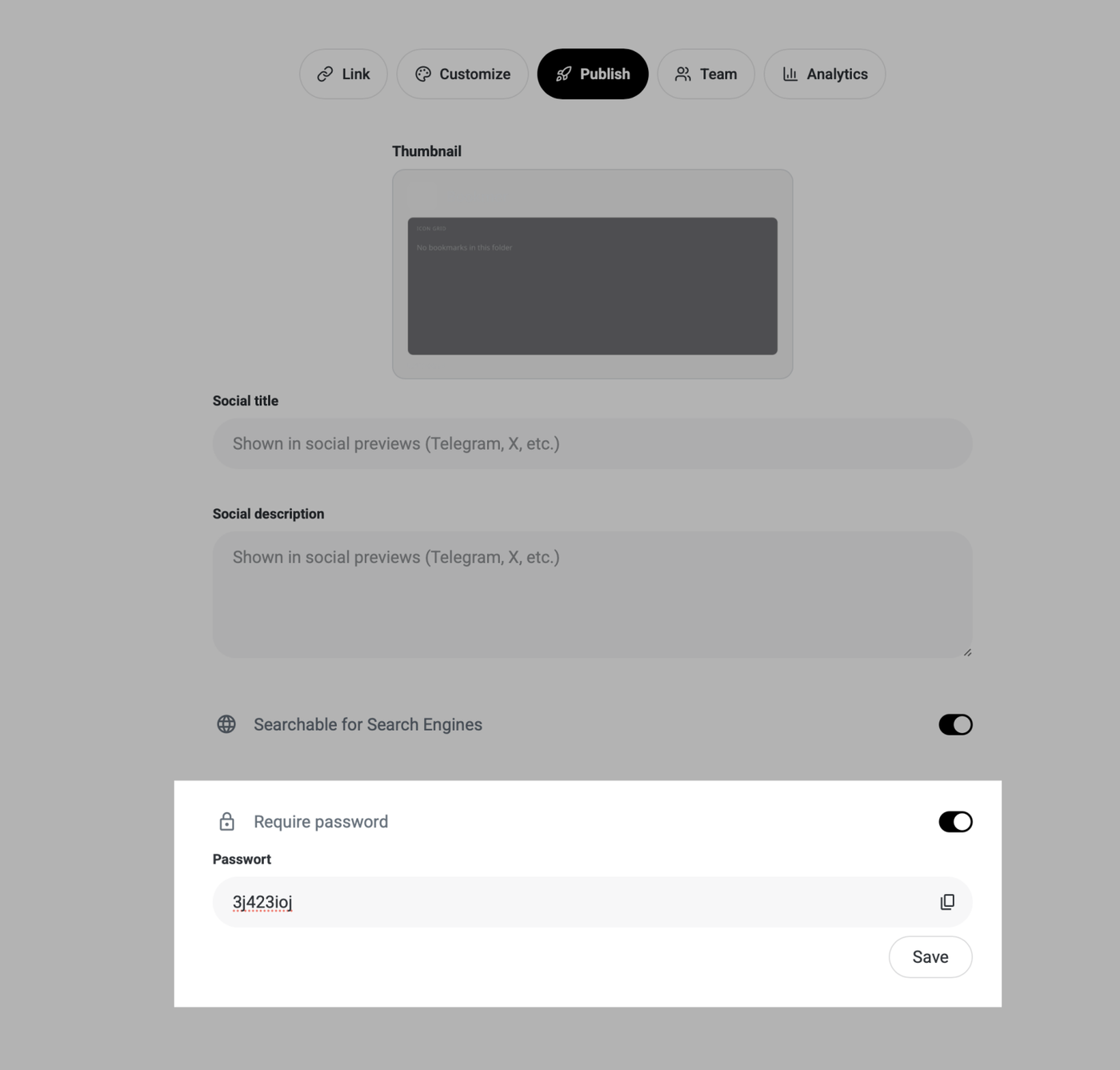
A feature many users have wanted is the ability to protect shared folders with a password. This is now available for Pro users. You can set a password, and the shared page will only be accessible by entering it. The password can be set on the share page. Additionally, the entire layout of shared pages has been redesigned. Before publishing, you can adjust all parameters such as the title, images, and preview, allowing you to publish only when you are ready. The new layout offers more space, greater flexibility, and a clearer overview.

Apr 07, 2026

It is now possible to search all broken links. A scanning process allows you to view them, edit them if necessary, delete them, and interact with them. Only for PRO users.

Apr 06, 2026

You can now also view notes in Grid view when the feature is activated. Simply hold the mouse over the element without moving it. Then the underlying note will appear without you having to open it separately.

Apr 05, 2026

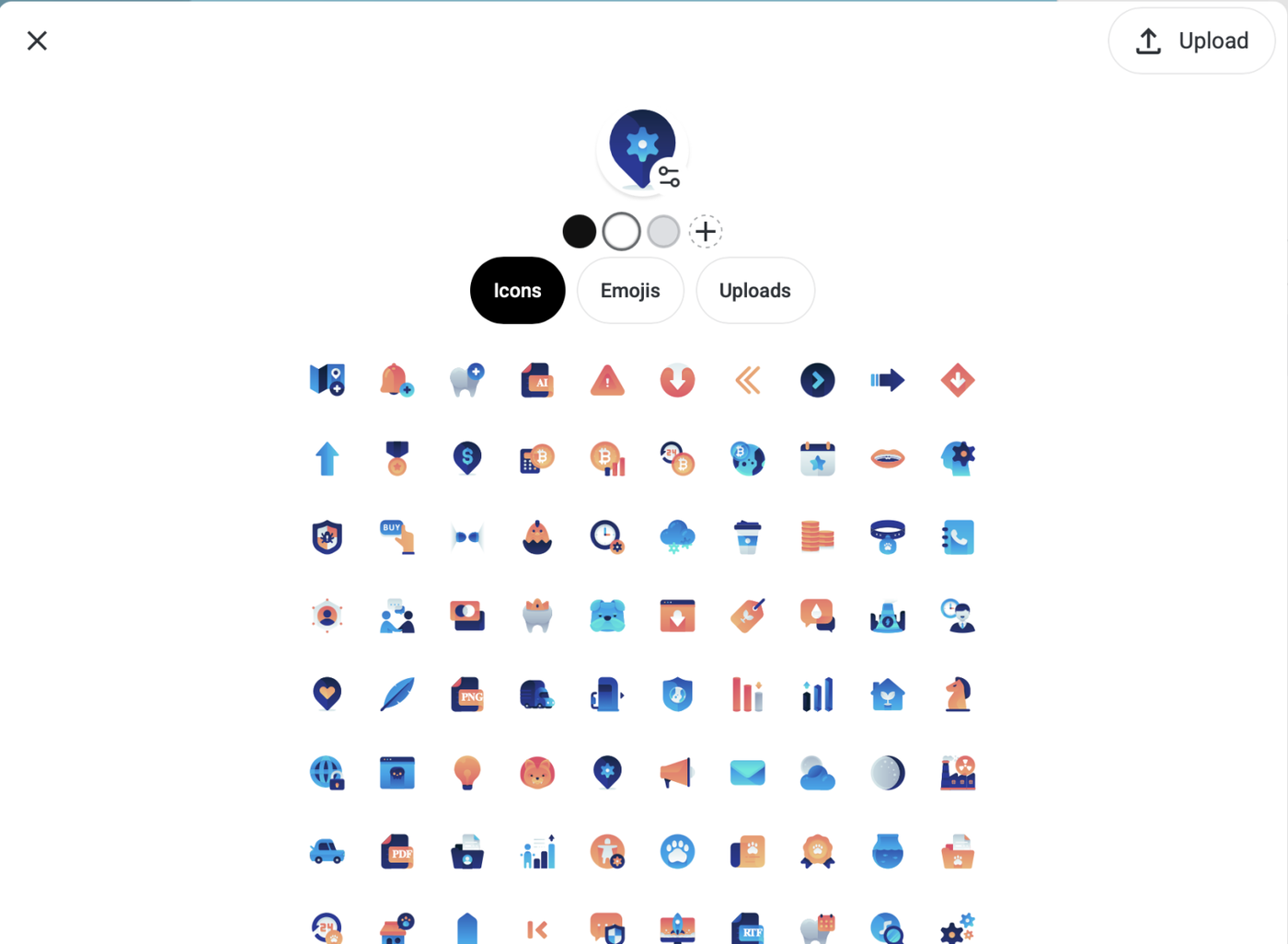
We completely rebuilt the image editor. Now you can use emojis, manage your uploads, and use sources from the page. You can still edit the image by typing in the preview and changing the background color. All your uploads can be managed from one place. We also added a thumbnail feature that allows you to choose the one you want.

Apr 04, 2026

From now on, you can play YouTube via Cards. Simply save a YouTube link and activate the "Play video" function in the preferences. Once that's done, you can play YouTube videos directly and share them without having to open YouTube

Apr 03, 2026

We have begun integrating AI systems into our system. The beginning is the Search Engine. From now on, one can integrate Perplexity or ChatGPT as the default search engine. This means that you jump to the respective area to obtain search results. This is the beginning of an ongoing AI integration.

Apr 03, 2026

From now on, deleted items are no longer selected via the navigation bar.
There is now a separate section called "Recover." Here, you can see all deleted items in chronological order and easily move them back to the desired folder or open and interact with them. This completely replaces the old system.

Apr 02, 2026

We're excited to announce a major update to our account settings interface! You can now manage all your account settings in one convenient location, from newsletter preferences to custom domains. Additionally, all your icons are now easily accessible, allowing for a more streamlined and centralized experience.

This upgrade significantly enhances user experience, providing you with a more intuitive and efficient way to interact with your settings. Enjoy greater control and organization with this refreshed interface!

Apr 01, 2026

We’re thrilled to unveil the most significant update in Bookmer’s history. Introducing our fresh, vibrant design featuring playful, rounded aesthetics and a new philosophy focused on clarity and structure.

Modern Design: Experience our new lively, rounded aesthetics across the platform, enhancing visual appeal and user interaction.

Streamlined Layout: Our design philosophy prioritizes clarity and structure, ensuring a more organized and intuitive user experience.

Enhanced Pinboard Functionality: Now, you can pin not only folders but also links and add-ons to your pinboard for quicker access and organization.

Reimagined Navigation: We've completely redesigned the navigation system for more intuitive movement throughout the platform. The integrated search bar is now conveniently located in the header for easy access.

Universal Menu Accessibility: Our revamped menu dropdown is accessible from any element or area across the platform, providing seamless navigation based on your personalized settings.

Redesigned List View with Vervekanz: We’ve overhauled the list view to display more content per page and improve loading times. Enjoy a more efficient browsing experience with our adjusted icon arrangement and new rounded styles.

Enhanced Search Bar: The search bar is now more transparent, seamlessly blending with the background for a cohesive look.

Stylish Icons and Buttons: All icons and buttons sport our new rounded design, offering a cohesive and modern look.

Drag-and-drop archive: Drag folders directly onto the navigation bar to quickly archive or reorganize them.

This update marks just the beginning. We’re committed to further refining the platform, consistently applying the rounded design philosophy across all aspects of Bookmer.

Mar 31, 2026

Enhanced Undo Functionality: We’ve upgraded undo so you can seamlessly reverse any action—whether deleting, reorganizing, or moving bookmarks—giving you full control at all times; visual feedback has been added, showing a small animation at the bottom center whenever an action is undone to confirm success, which can be disabled in settings if preferred; keyboard shortcuts are now supported across platforms, using ⌘ Command + Z (macOS) or Ctrl + Z (Windows) to undo and ⌘ Command + Shift + Z (macOS) or Ctrl + Shift + Z (Windows) to redo, enabling a faster and more intuitive workflow.

Mar 30, 2026

The dropdown menu is now more intuitive and efficient than ever. You can easily hide the share icon and quickly share your current folder with just a few clicks, streamlining your workflow and enhancing productivity.

A completely new way to move between folders. The updated dropdown menu is smarter: all folders are now organized alphabetically, and the search bar lets you find any folder in seconds.

The richest context menu ever! Now you have many more options in the dropdown menu. Besides copy, you can duplicate entire bookmarks, cut them, and move them to another place. You can instantly access all options.

And that's not all! You can customize it as needed, reposition the dropdown menu, and choose which elements should be visible.

Mar 29, 2026

A brand new view mode has arrived: Thumbnails replace Cards. You can still make notes visible, and for the first time, you can add notes in list views. Thumbnails are automatically generated from websites, but you can also upload your own images to set custom thumbnails. This feature is available to all users—feel free to enhance how you manage cards. The old card view has been updated. You can now use icon view, list view, and the new Thumbnail view.