© 2026 Bookmer Changelog

New feature

Apr 01, 2026

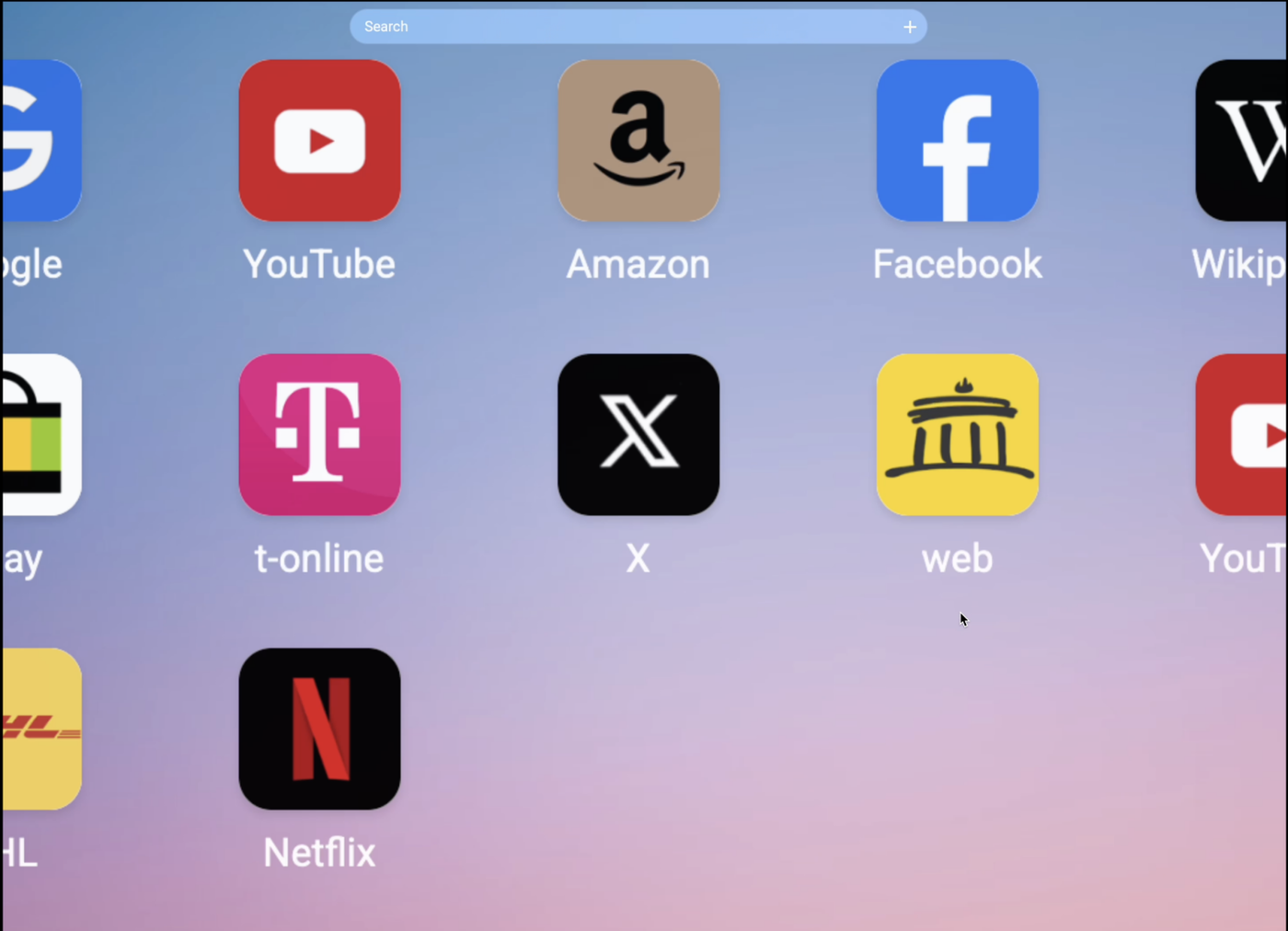
We’re thrilled to unveil the most significant update in Bookmer’s history. Introducing our fresh, vibrant design featuring playful, rounded aesthetics and a new philosophy focused on clarity and structure.

Modern Design: Experience our new lively, rounded aesthetics across the platform, enhancing visual appeal and user interaction.

Streamlined Layout: Our design philosophy prioritizes clarity and structure, ensuring a more organized and intuitive user experience.

Enhanced Pinboard Functionality: Now, you can pin not only folders but also links and add-ons to your pinboard for quicker access and organization.

Reimagined Navigation: We've completely redesigned the navigation system for more intuitive movement throughout the platform. The integrated search bar is now conveniently located in the header for easy access.

Universal Menu Accessibility: Our revamped menu dropdown is accessible from any element or area across the platform, providing seamless navigation based on your personalized settings.

Redesigned List View with Vervekanz: We’ve overhauled the list view to display more content per page and improve loading times. Enjoy a more efficient browsing experience with our adjusted icon arrangement and new rounded styles.

Enhanced Search Bar: The search bar is now more transparent, seamlessly blending with the background for a cohesive look.

Stylish Icons and Buttons: All icons and buttons sport our new rounded design, offering a cohesive and modern look.

Drag-and-drop archive: Drag folders directly onto the navigation bar to quickly archive or reorganize them.

This update marks just the beginning. We’re committed to further refining the platform, consistently applying the rounded design philosophy across all aspects of Bookmer.

Mar 31, 2026

Enhanced Undo Functionality: We’ve upgraded undo so you can seamlessly reverse any action—whether deleting, reorganizing, or moving bookmarks—giving you full control at all times; visual feedback has been added, showing a small animation at the bottom center whenever an action is undone to confirm success, which can be disabled in settings if preferred; keyboard shortcuts are now supported across platforms, using ⌘ Command + Z (macOS) or Ctrl + Z (Windows) to undo and ⌘ Command + Shift + Z (macOS) or Ctrl + Shift + Z (Windows) to redo, enabling a faster and more intuitive workflow.

Mar 30, 2026

The dropdown menu is now more intuitive and efficient than ever. You can easily hide the share icon and quickly share your current folder with just a few clicks, streamlining your workflow and enhancing productivity.

A completely new way to move between folders. The updated dropdown menu is smarter: all folders are now organized alphabetically, and the search bar lets you find any folder in seconds.

The richest context menu ever! Now you have many more options in the dropdown menu. Besides copy, you can duplicate entire bookmarks, cut them, and move them to another place. You can instantly access all options.

And that's not all! You can customize it as needed, reposition the dropdown menu, and choose which elements should be visible.

Mar 29, 2026

A brand new view mode has arrived: Thumbnails replace Cards. You can still make notes visible, and for the first time, you can add notes in list views. Thumbnails are automatically generated from websites, but you can also upload your own images to set custom thumbnails. This feature is available to all users—feel free to enhance how you manage cards. The old card view has been updated. You can now use icon view, list view, and the new Thumbnail view.

Jan 08, 2026

Introducing our latest innovation: Bookmer Collect Browser Extension!

With Bookmer Collect, saving your favorite websites is easier than ever. This extension allows you to bookmark any webpage with just a single click, streamlining your browsing experience without the need to visit Bookmer.

Jan 03, 2026

We start this year with fresh new folder icons and offer 100 colorful options to make your navigation easier.

To set up an icon for a folder, go to the navigation bar and right-click the folder you want to change. Select "Edit icon." Once you choose it, you will see all the icons you can use. You can also upload your custom icons.

Oct 30, 2025

We're introducing a new Widget function to enhance your bookmarking experience by allowing seamless integration of to-do lists with your bookmark folders.

Seamless Integration: Add widgets directly into your bookmark space for easy access alongside your regular links.

Create and Manage To-Do Lists: Build unlimited independent to-do lists, enhancing task management within your workflow.

Organizational Flexibility: Place to-do lists in any bookmark folder, organizing tasks with relevant web links for better context and prioritization.

Interactive Experience: Open an interactive interface within your bookmarking app for a distraction-free task management experience.

Unlimited To-Do Lists: Track any number of projects and tasks without restrictions.

Full Functionality in Bookmer: The Widget functions within the Bookmer platform without leaving the app, maintaining an uninterrupted workflow.

Getting Started

:

Add a Widget: Go to your bookmarks page, select "Add New," then choose "To-Do List Widget."

Customize Your List: Add tasks, set priorities, and mark items as complete.

Organize: Place your to-do lists into relevant folders for organized management.

Enhance your Bookmer environment into a comprehensive productivity tool, integrating task management with your library of links.

Sep 23, 2025

You can now keep the navigation bar on the left side open if you want. In the past, it would close every time you opened a new browser session. Now, if you open it and don’t close it, it will remember your choice. Each time you log in or enter Bookmer, the navigation bar will stay open or closed based on your last action. So, if you prefer it always open, you no longer need to open it each time.

Sep 22, 2025

The search bar now shows the folder icon as a result. If you haven't set up a folder icon, the default folder icon (the same one shown in navigation) will appear.

Sep 21, 2025

There were several issues with the custom domain, mainly related to SSL. The problem has now been fixed. All shared pages are also accessible via https://www, and every shared domain has an SSL certificate.

If you encounter any problems, remove the current custom domain and set it up again from scratch. Once reconfigured, everything will work properly. You don’t need to make any changes at your domain provider—all the data remains the same. You can simply renew it within Bookmer.

Sep 18, 2025

We have added a new "+" button that allows you to create bookmarks. Some users have found it unclear how to create bookmarks now, so we decided to improve the UX. The plus button on the search bar still exists as an optional way to add bookmarks, and you can hide it if you prefer.


Sep 10, 2025

Now, the default background color for each new bookmark is set to white. This makes the UI clearer and improves the UX. If a bookmark icon is transparent, it will now be visible against the white background. Of course, you can still customize the background color; this just provides a quick way to set it.